What it is
screenjson-db-importer takes ScreenJSON .json files and puts them in a
database. Point it at one file, a folder, a glob, or a bucket, and it checks
every document against the ScreenJSON schema, then writes it to the
database you configure.
It’s the second free step in the toolchain. Convert your scripts with
screenjson-export (or the full
screenjson-cli), then load them with the
importer. It doesn’t read Final Draft, Fountain, or Fade In itself. It only
handles storage.
Databases
| Driver | Database |
|---|---|
postgres | PostgreSQL, with pgvector for native vectors |
mongo | MongoDB, or anything that speaks its protocol (FerretDB) |
elastic | Elasticsearch |
chroma | Chroma |
weaviate | Weaviate |
pinecone | Pinecone (an existing dense serverless index) |
Sources can come from local disk, S3 or any S3-compatible store (MinIO, DigitalOcean Spaces), or Azure Blob Storage.
Install
Docker
docker pull ghcr.io/screenjson/screenjson-db-importer:latest
docker run --rm \
  -v "$PWD:/data" \
  -v "$PWD/importer.yaml:/config/importer.yaml:ro" \
  ghcr.io/screenjson/screenjson-db-importer:latest \
  --config /config/importer.yaml /data/converted/
From source
git clone https://github.com/screenjson/screenjson-db-importer.git
cd screenjson-db-importer
go build -o screenjson-db-importer .
Configure
One YAML file picks the database, where source files live, and how each script is split into records:
data_dir: /data/.screenjson-importer

storage:
  driver: postgres
  url: postgres://screenjson:secret@database:5432/screenplays?sslmode=disable
  layout: scenes
  transactions: true

blob:
  driver: fs
  root: /data
Every setting can also come from an environment variable
(SCREENJSON_STORAGE_URL, SCREENJSON_STORAGE_PINECONE_API_KEY, …), and
${VAR} in the YAML file expands from the environment, so secrets never have
to sit in the file. --set path=value overrides any setting for one run.
Use
screenjson-db-importer --config importer.yaml --workers 8 \
--manifest import-state.jsonl ./converted/| Flag | Description |
|---|---|
--config | The YAML file (or SCREENJSON_CONFIG). |
--workers | Documents written in parallel. Default 4, up to 256. |
--manifest | A JSONL log of every file’s result. Default screenjson-import.jsonl. |
--retry-failed | Try again files that failed in an earlier run. |
--set path=value | Override any setting for this run, e.g. --set storage.database=staging. Repeatable. |
The last argument is what to import: a .json file, a directory, a glob, or
an s3://, azure:// or file:// URI.
Safe to run twice
- Preflight first. Every file is read, parsed, and validated against the schema before anything is written. A bad file is reported, not half-imported.
- Resumable. The manifest records each file and its SHA-256. Run the same
command again and finished files are skipped. Failed ones are skipped too,
until you pass
--retry-failed. - No silent overwrites. A document already in the database with the same ID and content counts as imported. The same ID with different content is an error.
- One writer at a time. The importer won’t start while another importer or a running screenjson-server is using the same database.
A run exits non-zero if any file failed, so it fits in CI or a cron job.
Storage layouts
storage.layout decides how a screenplay is split into database records. It
changes where the data lives, not the data itself: read the records back and
you get the same ScreenJSON document.
| Layout | Records | Good for |
|---|---|---|
whole | One record per screenplay. | Small libraries; loading a script in one read. |
scenes | A screenplay record, plus one record per scene. | Per-scene search and embeddings. |
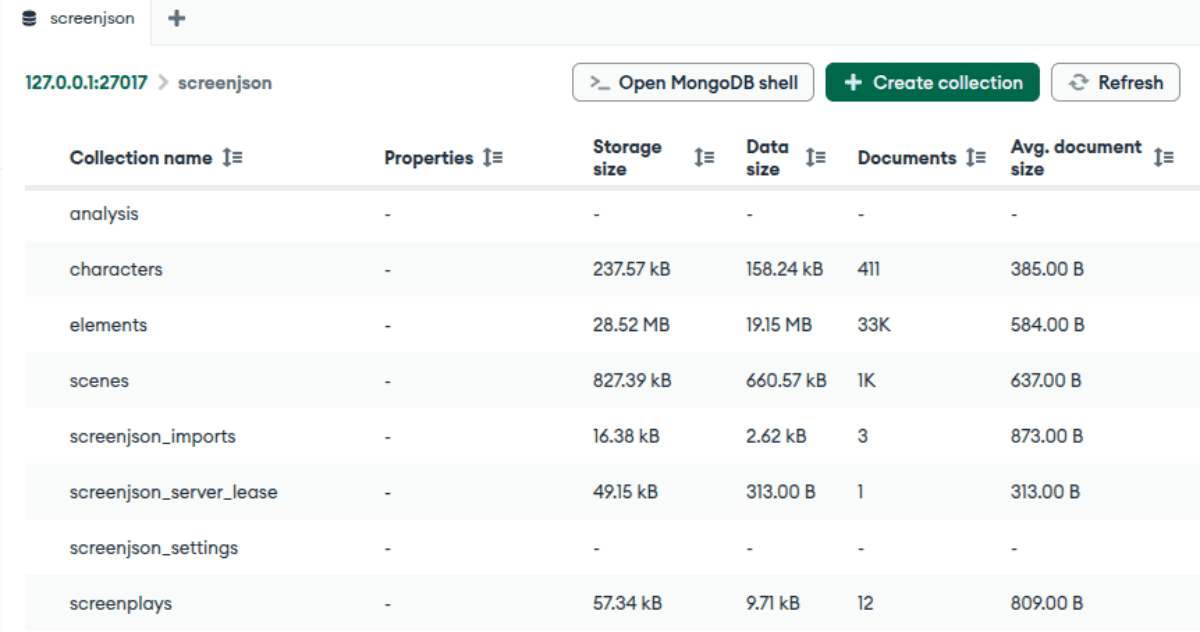
elements (default) | Screenplay, scenes, every element, characters, and analysis, each separate. | Querying and updating individual lines. |
You can also write your own layout: choose which levels to split out, and name the collection or table for each.
Embeddings and vector databases
If your ScreenJSON already carries embeddings under analysis.embeddings,
the importer can store them in the database’s own vector field. Declare the
model and dimensions on the scenes, elements, or characters level, and a
matching embedding goes into pgvector, Chroma, Weaviate, or Pinecone ready to
search. Nothing is lost: the original embedding metadata stays in the record,
so the full document can still be rebuilt.
The importer stores embeddings. It doesn’t compute them. See the AI playbook for generating them.
Works with screenjson-server
The importer writes the same record format and reads the same YAML settings as screenjson-server. Load a back catalogue with the importer, then start the server on the same database, and every script is there to browse, edit, and search.
License
MIT. The schema it validates against is open too: see the specification.
Next
- Load a folder of scripts into PostgreSQL
- Import a bucket of ScreenJSON into MongoDB
- Store embeddings in a vector database
- screenjson-export: make the
.jsonfiles to import. - screenjson-server: serve the library once it’s loaded.