What it is
screenjson-cli is the full, production-grade ScreenJSON toolchain in a
single binary. It’s what screenjson-export grows up into when you need to
convert and export, validate against the schema, encrypt content at rest,
or stand up a REST API in front of the engine.
Every format that has ever meaningfully been used to author a screenplay is supported as both an input and an output. Every document you produce can be validated against a versioned schema. Every text run can be encrypted with a shared secret and decrypted on the way back out, leaving structure visible for indexing. And the same binary that runs on your laptop can be put into server mode to expose the same engine as an HTTP service.
It ships as a Docker image for production and as a pure Go binary for anyone who wants to vendor it.
Capabilities
| Command | Purpose |
|---|---|
convert | Read FDX, Fountain, FadeIn, or PDF → emit ScreenJSON (or YAML). |
export | Read ScreenJSON → emit FDX, Fountain, FadeIn, or PDF. |
validate | Check a document against the ScreenJSON schema. CI-friendly exit codes. |
encrypt / decrypt | AES-256-CTR over text runs, with SHA-256 key derivation. |
serve | Start a REST API on the engine, worker-pooled. |
formats | Enumerate supported formats and their capabilities. |
Install
Docker
docker pull ghcr.io/screenjson/screenjson-cli:latest
docker run --rm ghcr.io/screenjson/screenjson-cli:latest help
Go
git clone https://github.com/screenjson/screenjson-cli.git
cd screenjson-cli
go build -o screenjson ./cmd/screenjson/
sudo mv screenjson /usr/local/bin/
Quick start
# Convert Final Draft to ScreenJSON
screenjson convert -i screenplay.fdx -o screenplay.json

# Export ScreenJSON back to a PDF
screenjson export -i screenplay.json -f pdf -o screenplay.pdf

# Validate against the schema in CI
screenjson validate -i screenplay.json --strict

# Start the REST API on port 8080
screenjson serve --port 8080
Convert
screenjson convert -i <input> [-o <output>] [options]| Flag | Description |
|---|---|
-i, --input | Input file. Required. |
-o, --output | Output path (default stdout). |
-f, --format | Force input format: fdx, fadein, fountain, pdf. |
--yaml | Emit YAML instead of JSON. |
--lang | BCP 47 primary language (default en). |
--encrypt <key> | Encrypt content runs inline with a shared secret (min 10 chars). |
--pdftohtml <path> | Path to the Poppler pdftohtml binary for PDF import. |
--pdf-password <pw> | Password for encrypted source PDFs. |
Import from PDF
PDF import uses Poppler’s pdftohtml
underneath. On macOS: brew install poppler. On Debian/Ubuntu:
sudo apt-get install poppler-utils. Once installed, point the CLI at the
binary or set SCREENJSON_PDFTOHTML.
Export
screenjson export -i <input.json> -f <format> [-o <output>] [options]| Flag | Description |
|---|---|
-i, --input | Input ScreenJSON. Required. |
-f, --format | Output format: fdx, fadein, fountain, pdf. Required. |
-o, --output | Output path (default stdout). |
--decrypt <key> | Decrypt encrypted content runs before export. |
--pdf-paper | letter (default) or a4. |
--pdf-font | courier (default) or courier-prime. |
--gotenberg <url> | External Gotenberg URL for HTML→PDF rendering. |
Validate
screenjson validate -i screenplay.json [--strict] [--verbose]Exit code is 0 for valid. With --strict, invalid documents return 1 —
drop it straight into a CI pipeline.
Encrypt / decrypt
# Encrypt content runs only; structure, UUIDs, and metadata remain visible.
screenjson encrypt -i plain.json -o cipher.json --key "AtLeast10Chars!"

# Round-trip back out
screenjson decrypt -i cipher.json -o plain.json --key "AtLeast10Chars!"
Cipher: AES-256-CTR. Key derivation: SHA-256. Only text is encrypted, so indexers can still see scene count, character list, and revision metadata without ever seeing dialogue.
Serve
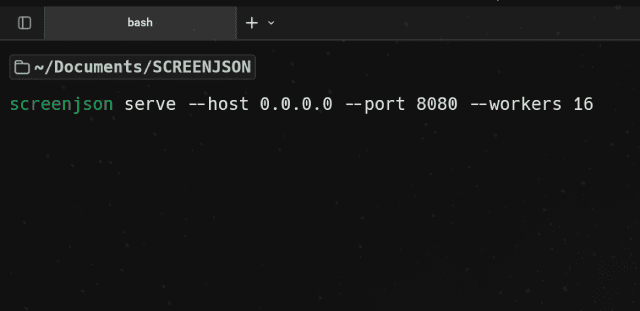
screenjson serve --host 0.0.0.0 --port 8080 --workers 16| Endpoint | Method | Purpose |
|---|---|---|
/ | GET | Queue status and metrics |
/health | GET | Liveness / readiness |
/formats | GET | Supported formats |
/convert | POST | Multipart or octet-stream in → ScreenJSON out |
/export | POST | ScreenJSON in → binary format out (X-Output-Format header) |
/validate | POST | ScreenJSON in → { valid, errors[] } out |
Optional service URLs: --gotenberg for HTML→PDF, --tika for content
extraction, --llm for an OpenAI-compatible analysis endpoint.
Storage integrations
convert and export can write directly to:
- Databases: Elasticsearch, MongoDB, Cassandra, DynamoDB, Redis
- Blob stores: AWS S3, Azure Blob Storage, MinIO
Every flag is mirrored by an environment variable (SCREENJSON_DB_*,
SCREENJSON_BLOB_*), so you can bake a Docker image and configure it
entirely at runtime.
Docker
# Convert a local file
docker run --rm -v "$PWD:/data" ghcr.io/screenjson/screenjson-cli:latest \
  convert -i /data/screenplay.fdx -o /data/screenplay.json

# Serve the REST API
docker run --rm -p 8080:8080 \
  -e SCREENJSON_GOTENBERG_URL=http://gotenberg:3000 \
  ghcr.io/screenjson/screenjson-cli:latest serve --port 8080
A ready-made docker-compose.yml with the CLI, Gotenberg, and Apache Tika
ships in the repo.
When to use it
Use screenjson-cli when you need more than the free reference tool: more
input formats, export back out, validation in CI, encrypted content at rest,
direct writes to your database or object store, or an HTTP surface so your
stack can talk to the engine over the network.
If you need to run it as a scheduled, queued, multi-tenant batch service, the next tool up the stack — Greenlight — wraps this CLI in a full job queue.
To keep converted scripts in a database, load them with the free screenjson-db-importer. To edit them there in bulk, through a REST API or by AI agents over MCP, run screenjson-server.